Forms and business data
Build forms around the information your team needs, then keep related records connected.
Explore feature ↗
Shape business applications around the way your team works. Manage the details with connected records, access permissions and workflow automation.
Submit a form
Route for review
Update records
Review a report
Start with the process your team needs to manage. Connect the relevant forms, permissions and workflow steps.
Build forms around the information your team needs, then keep related records connected.
Explore feature ↗Route requests to the right people with conditions, approval steps and reminders.
Explore feature ↗Turn business records into charts and reports that help teams review their work.
Explore feature ↗Use conditions and schedules to handle recurring data tasks and follow-up steps.
Explore feature ↗Control who can manage applications, submit forms and view specific fields.
Explore feature ↗Connect supported data operations to existing systems and extend selected workflows.
Explore feature ↗Explore examples of form design, approval routing and reporting. Screenshots show the original Chinese interface. Contact us to discuss the interface language and workflow requirements for your team.
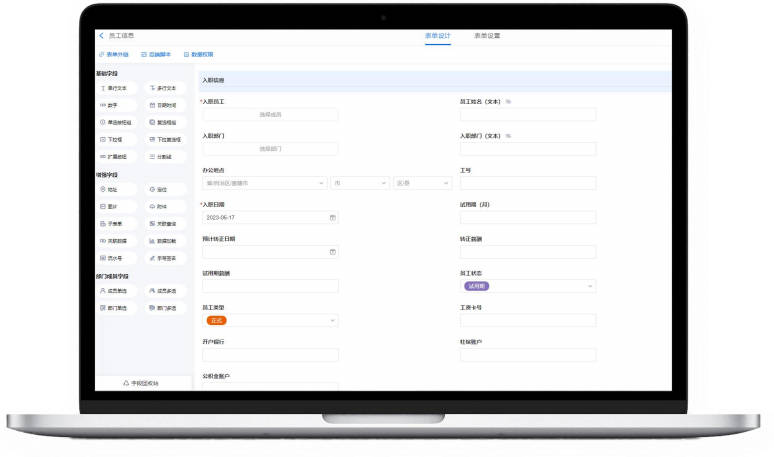
Original Chinese interface. Form builder example.
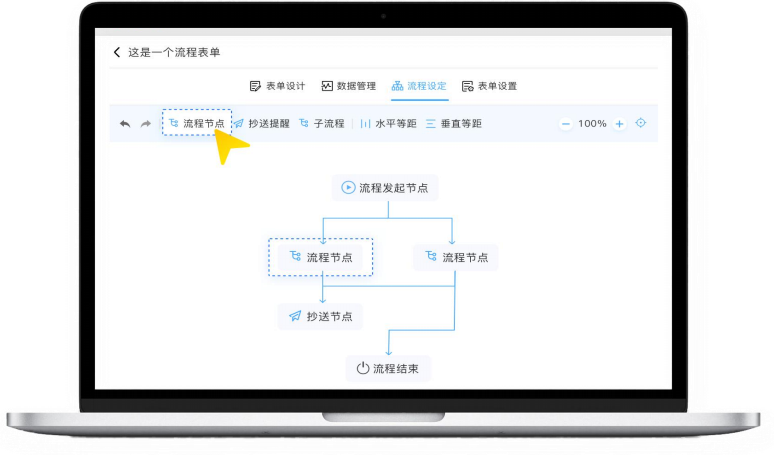
Original Chinese interface. Workflow editor example.
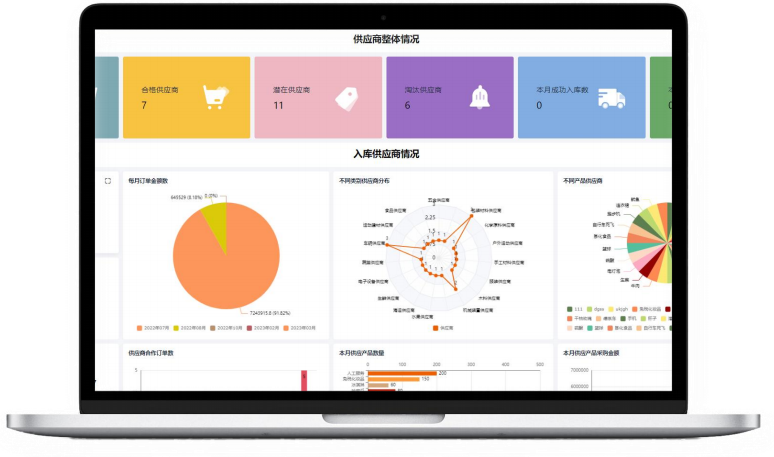
Original Chinese interface. Example records and figures.
Explore how these capabilities support requests, customer follow-up and operational records.
Collect requests, route them for review and keep supporting records connected.
Explore use cases ↗Give leave, supply requests and meeting reservations a consistent place to start.
Explore use cases ↗Keep lead records and follow-up notes organized as opportunities move through your process.
Explore use cases ↗Configure the form, approval route and data actions around your process. Use reports to review the work that follows.
Capture the details the process needs in a structured form.
Route the request through the configured approval steps.
Apply the relevant actions to connected business records.
Review status and activity in configurable reports.
Tell us about your workflow, account needs and existing systems.
Review the quotation, included functionality, delivery arrangements and terms before accepting the order.
Pay by bank transfer to the verified account stated in the confirmed order. We verify the payment.
Receive account access and activation details within the agreed period.
We will follow up to discuss the requirements and arrange a product walkthrough or quotation.
Contact the team